
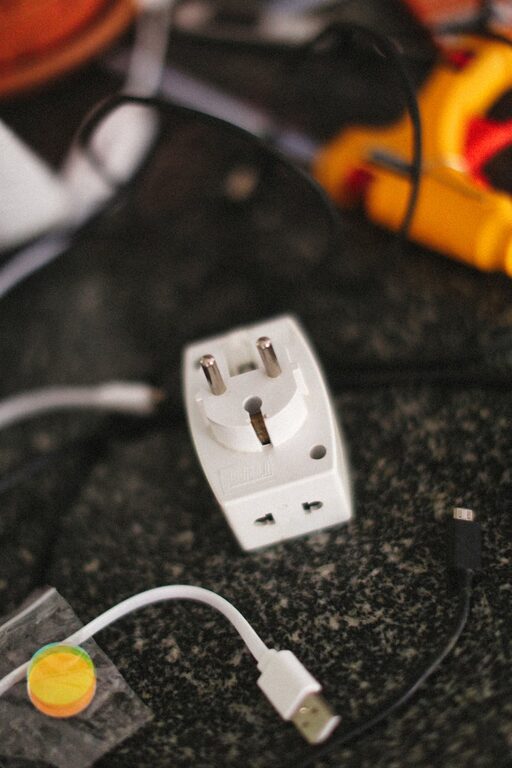
Setting up a dedicated charging station can help keep your devices organized and powered up without clutter or chaos. Whether you have smartphones, tablets, laptops, or other rechargeable gadgets, a well-planned charging station simplifies your daily routine. This guide will walk you through the process of creating a functional, safe, and neat charging area that suits your needs.
Why Set Up a Charging Station?
With the number of electronic devices we use daily increasing, tangled cords and scattered chargers can become frustrating. A charging station:
– Keeps all devices in one central location
– Prevents cable clutter
– Reduces the risk of losing chargers or cords
– Improves organization and aesthetics
– Helps manage charging times and priorities
If you have family members or housemates, a shared charging station is even more helpful for keeping track of everyone’s devices.
Choosing the Right Location
The first step is finding an ideal spot for your charging station. Consider these factors:
– Proximity to Power Outlets: Select a place near electrical sockets to avoid extension cords.
– Surface Space: A table, shelf, or desk with enough room for devices and chargers.
– Accessibility: Choose a spot convenient for daily use but out of the way enough to stay tidy.
– Ventilation: Ensure the area is well-ventilated to avoid overheating devices during charging.
– Safety: Avoid damp or overly crowded areas to reduce risk of accidents.
Some popular locations include desks, kitchen counters, living room side tables, or a dedicated shelf.
Essential Supplies and Equipment
Before setting up, gather the materials you’ll need:
– Charging Hub or Power Strip: Consider one with multiple USB ports and surge protection.
– Device Stands or Holders: Keeps gadgets upright and organized during charging.
– Cable Organizers: Clips, ties, or sleeves help manage cords and prevent tangling.
– Charging Cables: Match the cables needed for your devices (USB-C, Lightning, Micro-USB).
– Labeling Materials (optional): Stickers or tags to identify cables and ports quickly.
– Storage Boxes or Drawers (optional): Keep smaller accessories or rarely used cables out of sight.
Step-by-Step Setup
1. Clear and Clean the Space
Start with an uncluttered surface. Dust or wipe the area to create a fresh workspace.
2. Arrange Your Power Source
Plug in your charging hub or power strip neatly. If possible, secure the power strip to the surface underside or behind the furniture to keep it hidden.
3. Organize Your Cables
Separate cables by type or device. Use cable clips or ties to bundle excess length and prevent tangles.
4. Place Device Holders
Set up stands or holders so devices can sit upright. This keeps screens visible and saves space.
5. Position Devices for Charging
Place your phones, tablets, and other gadgets in their holders and connect the cables. Avoid overcrowding to allow airflow.
6. Label Cables and Ports (Optional)
If the charging station is shared, labeling helps everyone identify their device’s charger quickly.
7. Add Extras
Add a small tray or box nearby for accessories like earbuds, chargers, or power banks.
Tips for Maintaining Your Charging Station
– Regularly Untangle and Clean: Dust and adjust cables weekly to maintain order.
– Upgrade Equipment as Needed: Replace worn cables or add new USB ports if you acquire new devices.
– Keep It Minimal: Remove devices once fully charged to free up space.
– Use Smart Chargers: Some chargers can detect device type and optimize charging speed.
– Ensure Safety: Avoid overloading power strips and avoid charging near water.
Creative Ideas to Enhance Your Charging Station
– Decorative Touches: Use a small plant, photo frame, or decorative tray to personalize the area.
– Hidden Charging Drawers: Use furniture with built-in charging compartments to conceal cables.
– Wall-Mounted Solutions: For limited desk space, install a wall shelf or charging dock.
– Portable Charging Dock: Create a compact charging station you can easily move around.
Conclusion
Creating a dedicated charging station is a simple project that leads to daily convenience and a tidier space. With a little planning and the right tools, you can keep all your devices powered and organized in one spot. Whether for your home, office, or shared living area, a charging station helps simplify life in our digital age.
Try these steps today and enjoy the benefits of less clutter and easy access to your favorite devices. Happy charging!